/topology
Drag-and-drop canvas
React Flow editor with animated WAN badges, real-time multi-cursor collab, and instant interface auto-IP detection.
OML runs real Cisco IOS, ASA, Linux & Windows VMs as a topology you can draw, boot, console into, and packet-capture — without a single physical box.
QEMU, Dynamips and IOL boot the same images you'd run on a production rack. No fake CLI, no lookup-table simulators.
HTML5 console, in-browser Wireshark, animated packet flows, live CPU/RAM. The wire is observable end to end.
Self-hosted. One license, your hardware, your students. No per-pod metering. Air-gapped friendly.
React Flow editor with animated WAN badges, real-time multi-cursor collab, and instant interface auto-IP detection.
HTML5 terminal, VNC, RDP — straight into the running VM. No client install. Resilient across reloads.
One-click pcap on any link. Inspect in-browser or stream straight into Wireshark over a signed URL.
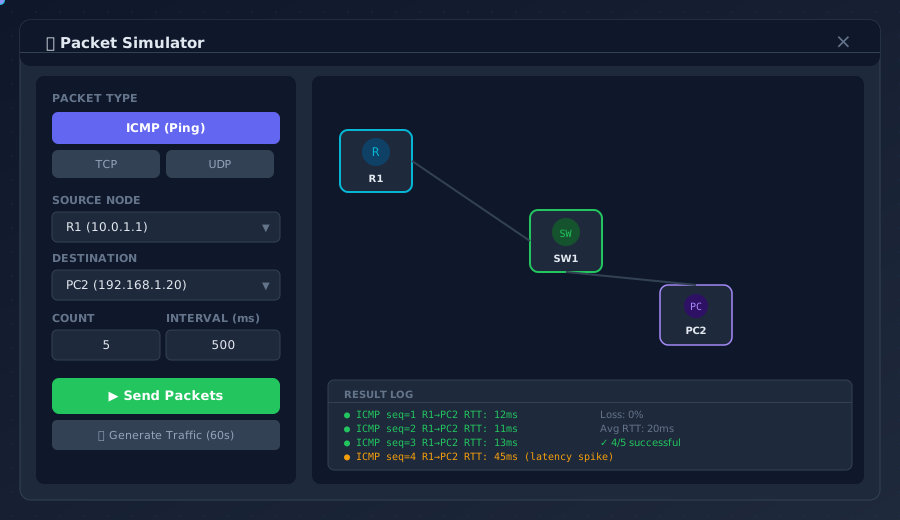
ICMP, TCP, UDP, ARP visualised flying across the canvas. Per-hop RTT, success rate, drop reason.
Latency, jitter, loss, bandwidth caps per link. Test BGP convergence under hostile conditions.
Define objectives — OSPF neighbor up, ACL hits, ping success — OML grades student labs in real time.
Step-by-step task pane with hints, progress and per-task pass/fail. Instructor-authored.
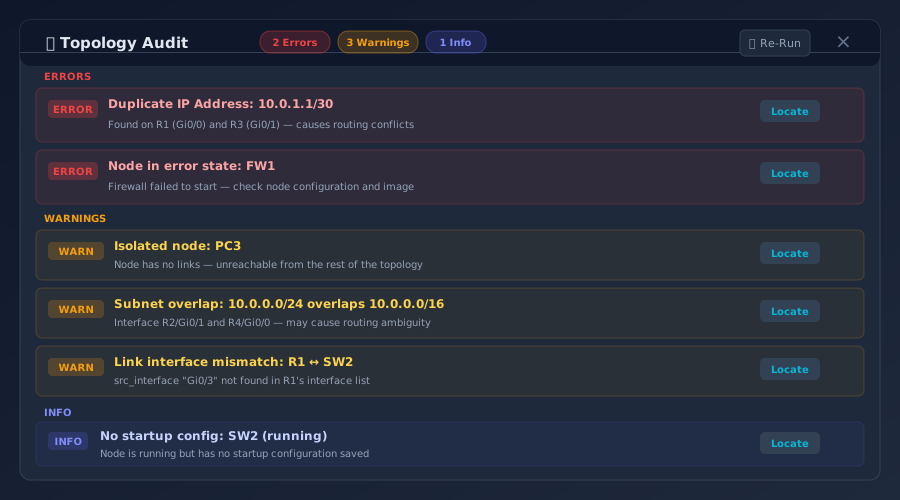
Static analysis: duplicate IPs, subnet overlaps, isolated nodes, interface mismatches — caught before boot.
CCNA, CCNP, JNCIA flashcards and quizzes wired into the same lab session. Spaced repetition built in.
Freeze the whole lab — RAM, NVRAM, link state — and restore in seconds. Branch student attempts.
Generate inventory + playbooks from your topology. Carry the lab into production change windows.
Threshold rules on CPU, memory, interface errors. Firing alerts surface as red cards on the canvas.
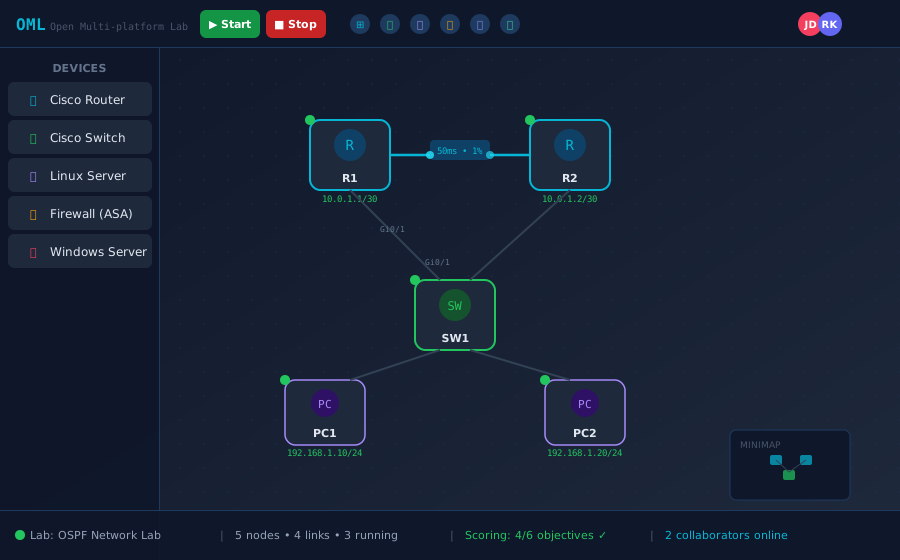
React Flow canvas with WAN badges, animated link traffic, node libraries by vendor, and live collaboration cursors.
Send any L3/L4 probe between any pair of nodes. The packet animates across the topology, with per-hop telemetry on the side.
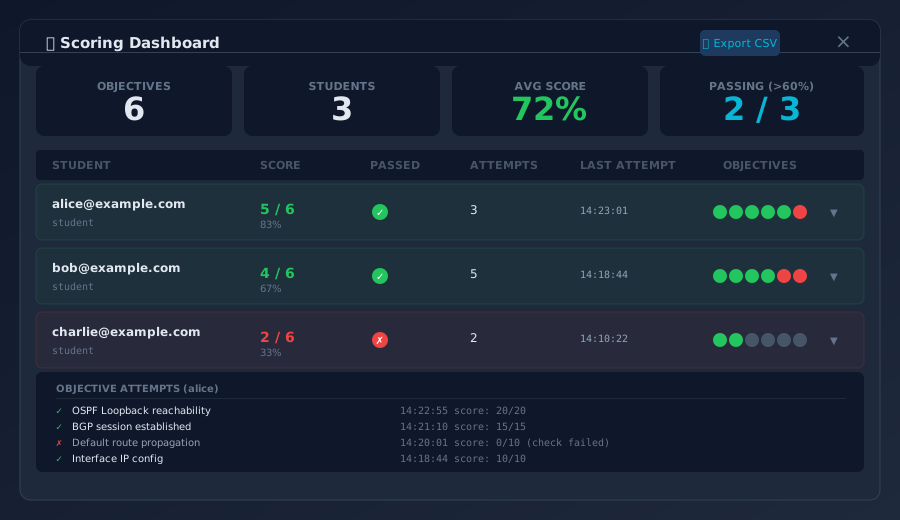
Instructor-defined objectives turn every student session into a scored attempt. Export CSV, drop into your LMS.
Static analysis runs on every save: duplicate IPs, subnet overlaps, mismatched interface speeds, isolated nodes.
Per-host perpetual license with one year of updates. Renew anytime. No per-student or per-node metering.
Download the OML appliance, paste your license key, and your team is on the canvas. No cloud lock-in, no per-node fees.